
In the fast-paced world of social media, your Facebook Post Design is the digital equivalent of a shop window display. With millions of posts competing for attention every second, the quality of your visual content is often the deciding factor in whether a user stops scrolling or keeps moving. As a designer, I have learned that effective Facebook Post Design is not just about making things look beautiful; it is about strategic communication, psychological engagement, and brand storytelling.
In this guide, we will explore the essential elements that transform a simple image into a high-performing Facebook Post Design.
1. Why Facebook Post Design Is Your Most Important Asset
While video content has surged in popularity, static images and graphic designs remain a cornerstone of social media marketing. A well-crafted Facebook Post Design serves as a quick, digestible way to convey information, spark emotion, or drive action.
-
The “Stop-Scroll” Factor: Users scroll through their Facebook feed at incredible speeds. Your Facebook Post Design must capture their attention within the first split second.
-
Brand Authority: Consistency in your design—using specific color palettes, fonts, and imagery—builds trust and makes your brand instantly recognizable to your followers.
-
Higher Engagement: Posts with high-quality, custom-designed visuals consistently earn more shares, likes, and comments than generic stock photos or text-only updates.
2. Fundamental Principles of Facebook Post Design
To create designs that stand out in a crowded feed, you must master the core tenets of visual layout.
A. The Hierarchy of Information
Don’t try to pack every detail into your design. If you try to make everything big, nothing will stand out.
-
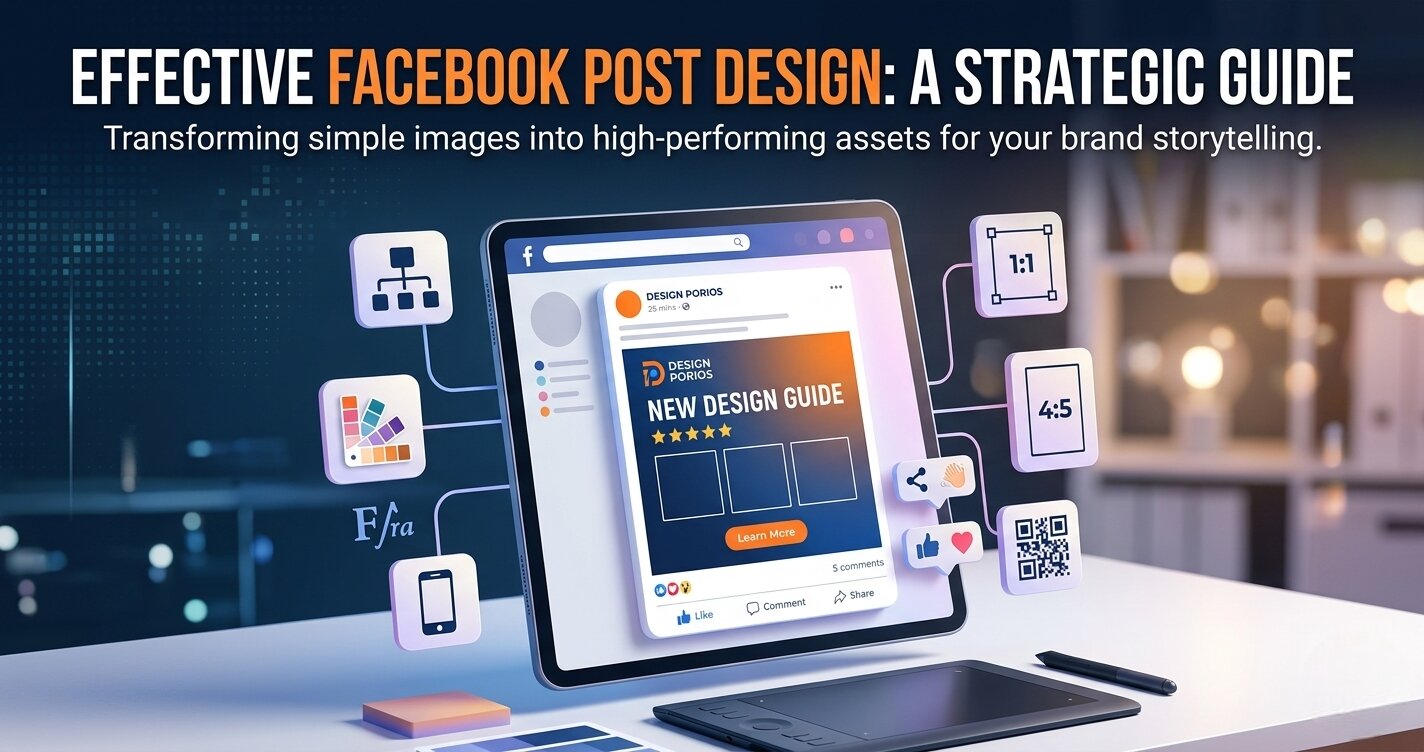
The Hook: Your headline or primary image. This is the first thing the user should see.
-
The Context: A short, punchy sentence explaining the “What” or “Why.”
-
The Call to Action (CTA): A button-style graphic or clear instruction (e.g., “Shop Now,” “Learn More”) that tells the user exactly what to do next.
B. Grid Systems and Balance
Never place your elements randomly on the canvas. Use a grid to ensure your Facebook Post Design feels balanced and professional. Whether you choose a minimalist layout or a more complex, artistic design, an underlying grid ensures that the viewer’s eye flows logically across the post.
3. Typography: The Voice of Your Facebook Post Design
Typography is often the most overlooked element, yet it is the “voice” of your post.
-
The Two-Font Rule: For most social posts, stick to two fonts—one bold, eye-catching font for your headline, and one clean, readable font for your body text.
-
Readability: Remember that many users view Facebook on mobile devices. Your text must be large and legible on a small screen. If your headline isn’t readable when viewed as a thumbnail, it needs to be bigger.
4. Color Psychology and Emotional Impact
Colors are powerful tools for persuasion in any Facebook Post Design.
-
Warm Colors (Red, Orange, Yellow): These evoke energy, excitement, and urgency—perfect for flash sales or event announcements.
-
Cool Colors (Blue, Green, Purple): These promote trust, stability, and professionalism, which are excellent for corporate branding or service-based businesses.
-
High Contrast: Always ensure your text contrasts sharply with the background. A dark background with white or yellow text is a classic, effective combination for readability.
5. Technical Best Practices for Facebook
When I design for clients, I ensure every Facebook Post Design meets the platform’s specific technical requirements.
-
Aspect Ratios: While a square (1:1) is the classic choice, vertical (4:5) images take up more space on mobile screens and often perform better for engagement.
-
Resolution: Always export your files at high resolution to avoid pixelation. A blurry image is an immediate turn-off for potential clients.
-
Minimal Text: Facebook still prefers visuals that aren’t overwhelmed by text. Keep your copy in the post caption rather than cluttering the image itself.
6. The Digital Bridge: QR Codes and Hybrid Marketing
In 2026, your Facebook Post Design should function as a portal to your broader digital ecosystem.
-
Integrating QR Codes: If you are running a special promotion, place a QR code within the design that links directly to your portfolio website or a signup form.
-
Tracking Results: Use UTM-tagged links in your post captions to see exactly which Facebook Post Design is driving the most traffic to your website.
7. My Creative Workflow (How I Design for You)
My process for creating a custom Facebook Post Design is designed to save you time and increase your results:
-
Brief Analysis: We start by defining your goal—is this for a sale, brand awareness, or an event?
-
Mood Boarding: I gather design inspiration that matches your specific brand identity.
-
Sketching & Layout: I map out the hierarchy to ensure your message is clear.
-
Refining: I use professional tools to finalize typography, color balance, and branding elements.
-
Quality Control: Every design is double-checked for alignment and visual clarity before it ever reaches your feed.
8. Why Hire a Professional Designer?
You might think you can just use a generic template. While templates are helpful, they often lack the strategy needed to convert followers into clients. A professional Facebook Post Design ensures that:
-
Your brand identity remains consistent across all platforms.
-
The hierarchy of information is optimized for your specific audience.
-
Your visuals are tailored to your unique brand, making you look more credible than your competitors.
Elevate Your Social Presence
Whether you need help with a single promotional image or a full month of social media content, I am here to help you turn your feed into a high-converting portfolio. My expertise includes:
-
Custom Facebook Post Design: Tailored to stop the scroll and grow your brand.
-
Presentation Design: Polished, professional decks created in Canva.
-
Document Solutions: Solving layout issues in Microsoft Word and Excel.
-
Brand Identity: Creating cohesive visuals for flyers, posters, and business cards.